Invitations on Mobius: Bring Your Own Buyers and Suppliers


A seller with excess parts often knows a buyer who wants them. A buyer with an open RFQ often works with a supplier who could fill it. Until now, getting that contact onto Mobius was a manual process, and once they signed up, they still had to find the right auction or RFQ on their own.
Invitations turn that into a few clicks. Your contact receives an email, signs up through a page that shows what they were invited to, and lands on that auction, listing, or RFQ with a short guided tour.
If the buyer you invite is new to Mobius, we waive our revenue share on their bids in that auction, so their full bid comes to you. We still handle shipping, inspection, escrow, and buyer support.
Invite a buyer to your auction or listing
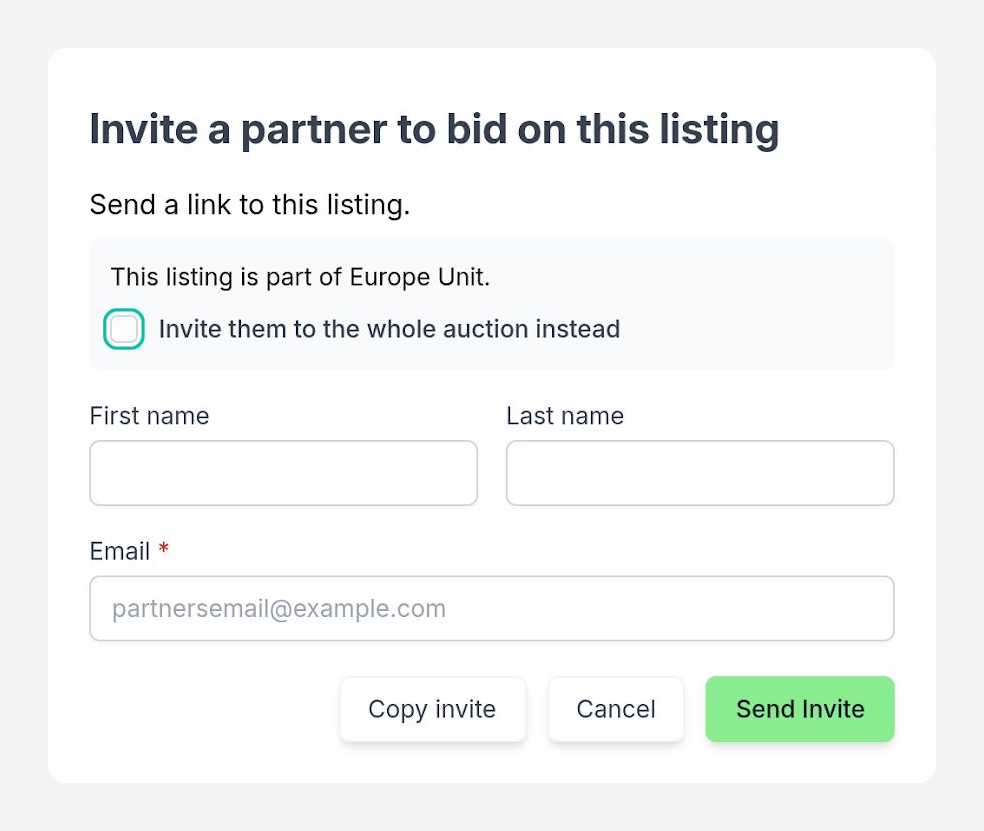
Open an auction from My Auctions and select Invite a partner to bid. Your buyer receives a link to every part in that auction. To point them to one part, use the same button on a listing's details page, where you can also invite them to the whole auction instead.
To share the link yourself, in an email you are already writing or another channel, select Copy invite instead of Send Invite.
The waiver applies whether you invited the buyer to the whole auction or to one listing in it.
Invite a supplier to quote your RFQ
Open an RFQ from My RFQs, select the three-dot menu beside Edit in RFQ Details, and choose Send to supplier. The email shows your supplier the part and quantity you need. It does not name you or your company, because RFQs on Mobius stay anonymous.
What your contact sees
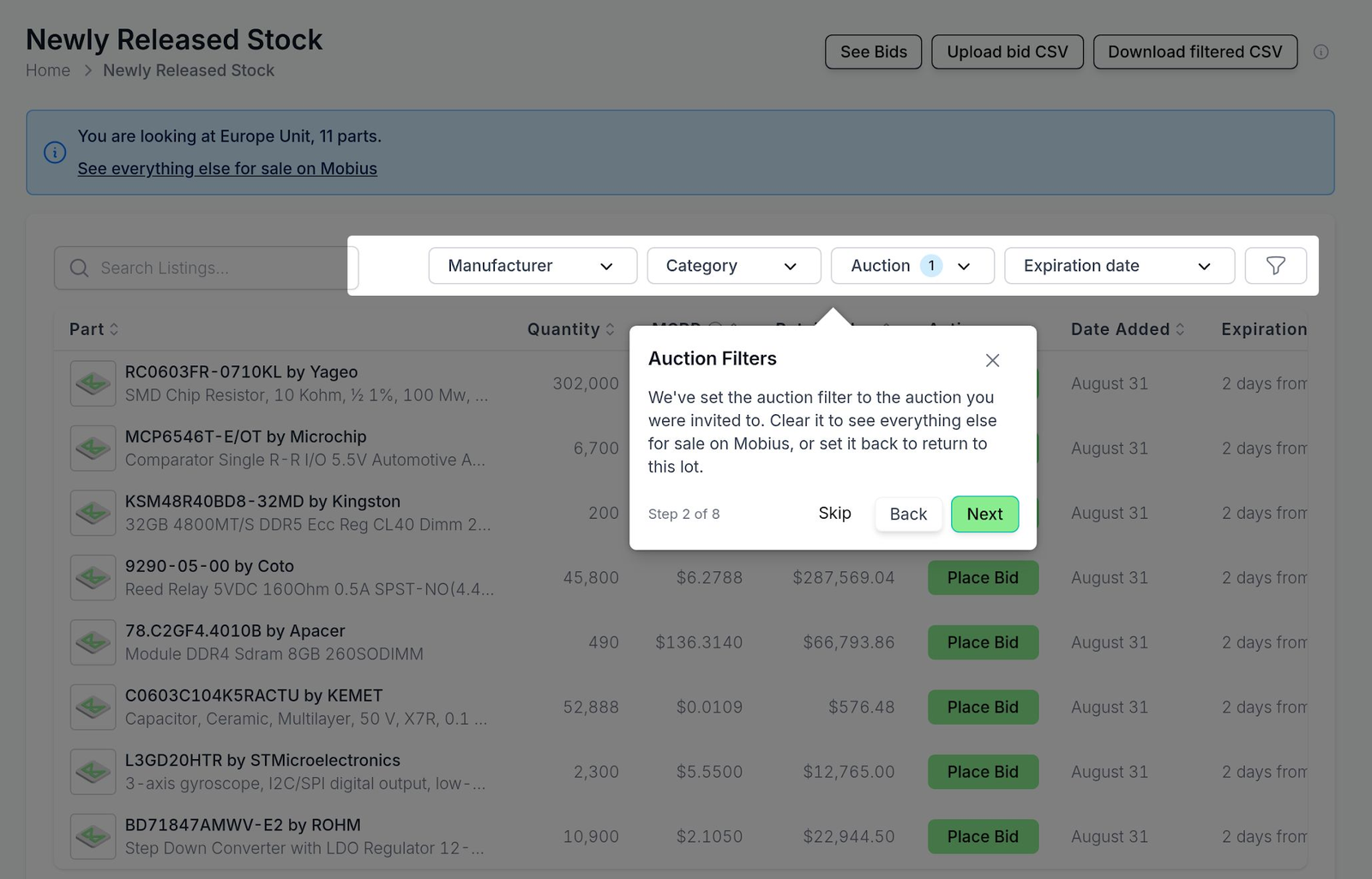
The link opens a page that shows what your contact was invited to, with options to create a free account or log in. Once they've signed up or logged in, we'll take them directly to the auction, listing, or RFQ that you invited them to. The first time through, a short guided tour shows them how to bid or quote and where to track it.
Invited buyers complete the same verification as every Mobius buyer. Bids and quotes on Mobius are binding, and our team reviews a new buyer's bid before it reaches the seller.
Invitations are live on Mobius
The buyers most likely to pay a fair price for your excess parts are often ones you already know. When that buyer is new to Mobius, their bid in your auction is worth more to you than the same bid from anyone else.
Open one of your auctions and invite a buyer you already work with.
Invite a buyer to your auction
If you are new to selling on Mobius, our team can walk you through auctions, RFQs, and invitations.